Days ago to my great surprise I discoverd that on all Devices the Cloud-enabled Management mode was disabled.

CEM enabled Clients starting to switch back from: Cloud-enabled Management mode is enabled but inactive to – Cloud-enabled Management mode is disabled – even when the Cloud enabled Management Policy is enabled and the Device(s) are in the target of the policy.
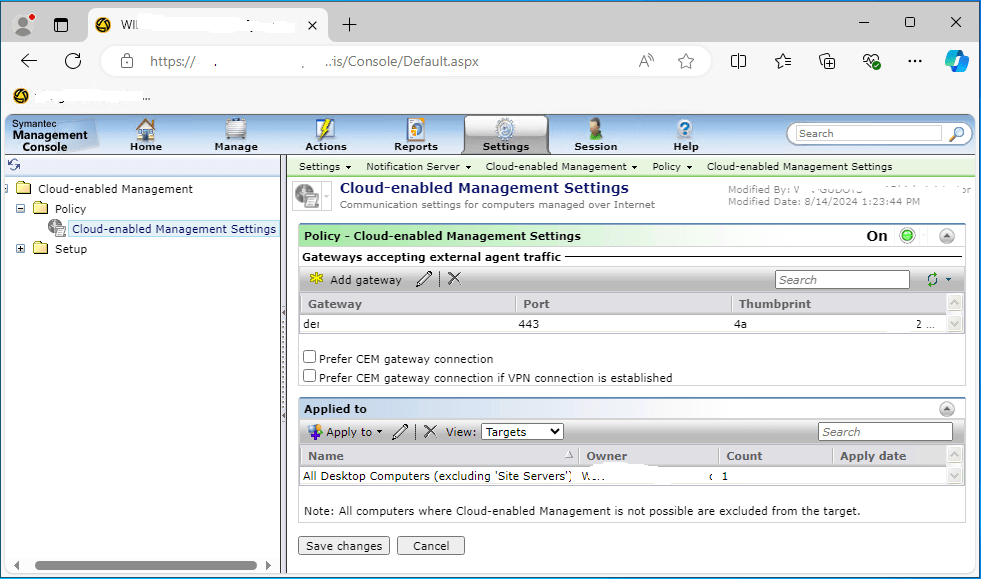
Here are the steps to reproduce the issue: navigate to SMP Server -> Settings -> Notification Server -> Cloud enabled Management -> Policy -> Cloud-enabled Management Settings click on Cancel button -> Exception occured: Item is not writeable: Cloud-enabled Managmement Setttings (GUID).
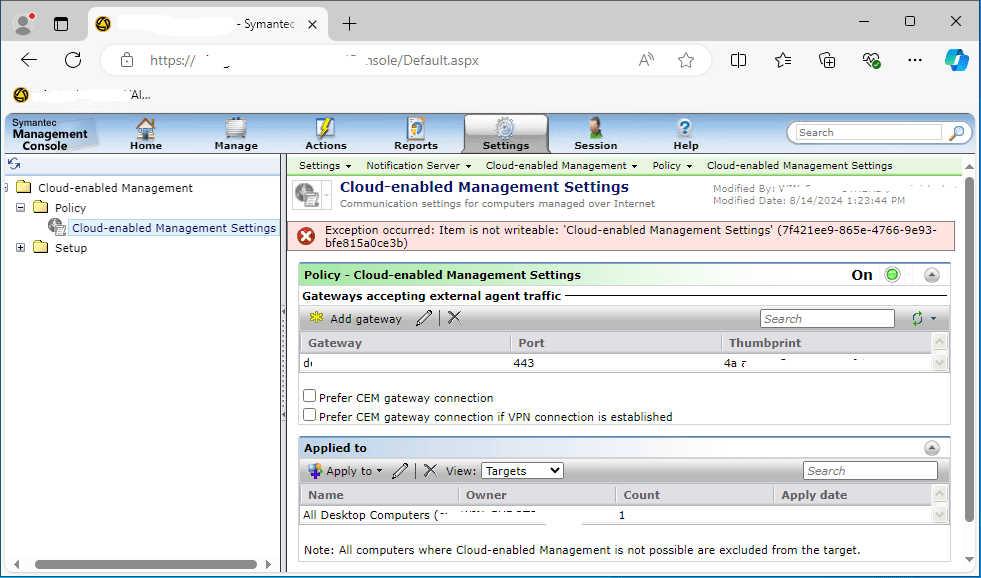
After refreshing the Cloud-enabled Management Settings page the target is empty.
After some time without changing anything the target is back.
I currently don’t have a solution for this behavior but I have opened a support case with Broadcom and will update the status on my blog as soon as there is anything new.
*Update: There is a fix available that can be used if you have installed Cumulative Post ITMS 8.7.2 Pointfix „SMA_SMP_8_7_2_PF_v5_02Sep2024“.
This is fixed in the upcomming ITMS 8.7.3 release.

 Endpoint Management